SATA SSDs
This guide contains links to products we track. When you purchase through our links, we may earn a commission at no extra cost to you. See our affiliate disclosure.
What You Need to Know
SATA SSDs aren't the fastest storage you can buy, but they're still one of the most practical upgrades for a homelab. They drop into any 2.5" drive bay, work with every SATA controller made in the last 15 years, and provide a 5-10x random I/O improvement over spinning drives. If you're upgrading an older server that lacks M.2 slots, building an all-SSD NAS pool, or just need a reliable boot drive, SATA SSDs are the straightforward choice.
The SATA III interface caps out around 550 MB/s, which is a fraction of what NVMe can do. That ceiling matters less than you'd think. Most homelab workloads are bottlenecked by random I/O and network throughput, not sequential bandwidth. A SATA SSD serving Docker containers, Plex metadata, or Home Assistant databases will feel just as responsive as an NVMe drive in the same role.
When SATA Makes Sense Over NVMe
NVMe gets the headlines, but SATA has real advantages in homelab builds. If any of these describe your situation, SATA is the practical choice.
Older servers without M.2 slots. A Dell PowerEdge R720, HP DL380p Gen8, or similar rack server has plenty of 2.5" bays and SATA ports but no M.2 connector. Adding NVMe would mean a PCIe adapter card, consuming a slot that might be needed for a network card or HBA. A SATA SSD drops right in.
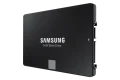
All-SSD NAS pools. If you want a fast storage tier alongside your HDD pool, 2.5" SATA SSDs slot into existing NAS drive bays without adapters. Four Samsung 870 EVOs in a Synology or TrueNAS box give you a dedicated high-IOPS pool for VMs, databases, and containers while your HDDs handle bulk media storage.
Hot-swap infrastructure. SATA SSDs work with standard hot-swap bays and backplanes. Replacing a failed drive in a running server takes seconds. NVMe hot-swap requires U.2 or U.3 backplanes, which are uncommon outside of enterprise gear.
For new builds with available M.2 slots, NVMe is generally the better buy. Check our NVMe SSD Buying Guide for those recommendations.
DRAM Cache
This is the spec that separates budget SATA SSDs from the drives worth buying. The DRAM cache stores the Flash Translation Layer (FTL) mapping table, which the controller uses to locate data on the NAND chips. On a 1TB drive, this table runs about 1MB. With a dedicated DRAM chip, lookups are instant. Without one, the controller has to read mapping data from the slower NAND itself.
Unlike NVMe drives, SATA SSDs can't use Host Memory Buffer (HMB) to borrow system RAM, so DRAM-less SATA drives have no fallback. The performance penalty is most noticeable during random I/O under load, exactly the kind of workload a boot drive or VM storage handles constantly.
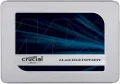
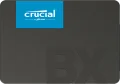
For boot drives, OS storage, and any workload with random I/O, buy a DRAM-equipped drive. The price difference between a Crucial BX500 and MX500 is small, but the MX500 is a meaningfully better drive for daily use. DRAM-less drives are acceptable only as secondary storage for files you read sequentially.
TLC vs. QLC NAND
TLC (Triple-Level Cell) stores 3 bits per cell, QLC (Quad-Level Cell) stores 4. More bits per cell means cheaper storage but lower endurance and worse sustained write performance.
Higher endurance (600 TBW at 1TB for the best drives), consistent write speeds even after the SLC cache fills. Samsung 870 EVO, Crucial MX500, Kingston KC600, and WD Red SA500 all use TLC.
Lower endurance (360 TBW or less at 1TB), and write speeds drop sharply once the SLC cache is exhausted. The Samsung 870 QVO falls from 530 MB/s to 80-160 MB/s post-cache. QLC is available in capacities up to 8TB, which TLC drives don't match.
Every modern SATA SSD uses an SLC write cache to absorb bursty writes at full speed. The difference between TLC and QLC only appears when that cache fills during sustained large writes. Copying a 200GB VM disk image will expose a QLC drive's weakness. Reading back that same image? Identical performance.
One drive to be aware of: the Crucial BX500 uses QLC NAND at 1TB and above despite being marketed alongside the TLC-based MX500. Combined with its lack of DRAM, the BX500 is a poor choice for anything beyond cheap secondary storage.
NAS-Rated SATA SSDs
Several manufacturers sell SATA SSDs specifically marketed for NAS use. The "NAS-rated" label means firmware tuned for 24/7 operation, higher endurance targets, and error recovery behavior optimized for RAID controllers. Whether you need these features depends on the role.
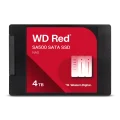
The WD Red SA500 is the most popular NAS SSD in the homelab community. It's a solid TLC drive with DRAM and a 5-year warranty, but it lacks power-loss protection despite the NAS branding. For a SATA SSD pool in a NAS, it's a good choice. For ZFS SLOG or any write-caching role where power loss could corrupt data, it's not sufficient.
The Seagate IronWolf Pro 125 is one of the few consumer-adjacent SATA SSDs with genuine hardware PLP (capacitors that flush in-flight writes during power loss). It's also rated at 1 DWPD, roughly triple the endurance of the Red SA500. The trade-off is a higher price and limited capacity options.
For write-caching on a Synology NAS, Synology pushes their own SAT5210. It's enterprise-grade with full PLP, but it's expensive and available only from Synology. Third-party drives work fine for Synology caching in most configurations.
Enterprise SATA SSDs
Enterprise SATA SSDs share the same 550 MB/s bandwidth ceiling as consumer drives. Where they differ is endurance, sustained write consistency, and power-loss protection.
1.5 DWPD, full PLP with capacitors, TLC NAND. Available up to 7.68TB. The go-to enterprise SATA SSD for Proxmox and TrueNAS deployments. Common on the used market from datacenter pulls.
1.0 DWPD, end-to-end data protection plus PLP, TLC V-NAND. Available up to 7.68TB. Slightly lower endurance than the Micron but strong sustained write performance and wide compatibility.
The key feature that justifies enterprise drives in a homelab is power-loss protection. Consumer SSDs, including the Crucial MX500's "Power Loss Immunity" feature, don't protect in-flight data. The MX500 protects data already on the NAND from corruption, but writes that were in the controller's buffer at the moment of power loss are gone. Enterprise drives with PLP capacitors have enough stored energy to flush their write buffers to NAND before shutting down.
If you're using a SATA SSD for ZFS SLOG, database write-ahead logging, or any role where a power failure could corrupt a write buffer, use an enterprise drive with PLP. No mainstream consumer SATA SSD has true hardware power-loss protection. A UPS helps but doesn't eliminate the risk of a sudden hardware fault.
What to Buy
For a boot drive in an older server or desktop, the Samsung 870 EVO is the default recommendation. TLC NAND, DRAM, 600 TBW, 5-year warranty. The Crucial MX500 and Kingston KC600 are equally good alternatives if the 870 EVO is out of stock or priced higher. All three have DRAM and TLC. The KC600 is the only one still available in mSATA for older embedded systems and NAS units with mSATA cache slots.
For an all-SSD NAS pool, the WD Red SA500 is the standard pick. NAS-tuned firmware, DRAM, TLC, and a 5-year warranty. If your NAS pool is behind a UPS and PLP isn't a concern, the Samsung 870 EVO or Kingston KC600 work just as well and are often cheaper per TB.
For high-capacity read storage on a budget, the Samsung 870 QVO goes up to 8TB in a single 2.5" drive. QLC endurance and post-cache write speeds are the trade-offs. Acceptable for media libraries, cold storage tiers, and read-heavy file serving where you're rarely writing large sustained workloads.
For ZFS SLOG or write-caching, skip consumer drives entirely. The Micron 5400 Pro or Samsung PM893 provide the PLP and endurance these roles require. Used enterprise SATA SSDs from datacenter decommissions are often available at a fraction of retail price with plenty of endurance remaining. Check SMART data for percentage used before buying.
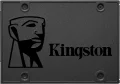
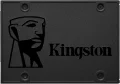
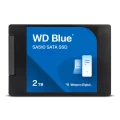
For budget secondary storage where you just need something faster than a hard drive and don't care about sustained writes, the WD Blue SA510 is adequate at larger capacities (the 2TB model gets DRAM). Avoid the Crucial BX500 and Kingston A400 for anything beyond throwaway storage; the BX500 uses QLC at 1TB+ without DRAM, and the A400 has a history of inconsistent internal components between production runs.
Ready to compare options? Browse all SATA SSDs with filtering by brand, capacity, and price.
Products Mentioned in This Guide